The Best MCP Server for SEO in 2026 (Claude & Cursor Guide)

SEO Analyst
The Best MCP Server for SEO in 2026: A Developer's Guide
Last Updated: January 26, 2026
If you are a developer or a technical founder, you probably live inside Cursor or Claude Desktop. You build products fast. But when it comes to SEO, you're forced to switch contexts:
- Open Chrome.
- Log in to Google Search Console (GSC).
- Click through 10 generic dashboards.
- Export a CSV, then paste it back into Claude to ask for advice.
This workflow is dead.
In 2026, the Model Context Protocol (MCP) has changed the game. You don't need to visit a website to do SEO anymore. Your AI editor should just do it for you.
In this guide, I'll show you how to set up the Ultimate SEO Workflow using the FireSEO MCP Server.
🛑 The "Context Switching" Tax
Why does SEO feel so painful for developers? It's not the work itself; it's the friction.
Research shows that every time you switch windows (e.g., from VS Code to Chrome), it takes an average of 23 minutes to regain deep focus. If you check GSC daily, check rankings weekly, and audit code before every commit—you are losing hours of productivity just by navigating interfaces.
The Solution: Headless SEO. Bring the data to the code. When you are writing a Next.js page component, the SEO data for that page should be available instantly via your AI assistant.
What is an SEO MCP Server?
An MCP Server acts as a bridge between your LLM (Claude/Cursor) and your local tools or external APIs.
An SEO MCP Server connects your AI specifically to:
- Google Search Console API (for live traffic data).
- SERP Scrapers (to check live Google rankings).
- Crawler Tools (to detect technical errors).
Instead of asking Claude generic questions ("How do I improve SEO?"), you can now say:
"Claude, check my live GSC data for the last 7 days and tell me which pages dropped in traffic."
And Claude will actually execute the API call, analyze the JSON response, and give you a fix—without you ever leaving your code editor.
Why FireSEO is the "Localhost" of SEO Tools
Most SEO tools (Semrush, Ahrefs) are built for marketers, not engineers. They are expensive, GUI-heavy, and slow.
FireSEO is built for the "Localhost Generation".
- Zero Dashboard: The UI is your chat window.
- Privacy First: Data flows between Google APIs and your local LLM.
- Hackable: Chain it with other MCP servers (like the Filesystem MCP) to auto-edit your code based on SEO audits.
🛠️ Step-by-Step Setup Guide
Let's set this up in 5 minutes.
Step 1: Connect FireSEO
The easiest way to connect FireSEO is to add it directly to your Claude Desktop or Cursor settings.
- Go to FireSEO Settings and copy your API Key.
- In Claude Desktop, go to
Settings>Connectors>Add Custom Connectorand paste the following URL:
https://mcp.fireseo.dev/mcp/sse?api_key=YOUR_API_KEY
Or, if you prefer the terminal, run:
claude mcp add --transport http FireSEO "https://mcp.fireseo.dev/mcp/sse?api_key=YOUR_API_KEY"
Step 2: The First Audit
Now, open Claude Desktop and type:
"Connect to my GSC account and audit my homepage for technical SEO errors."
Claude will use the fireseo_analyze_url tool to scan your HTML structure, check meta tags, and verify robots.txt access.
3 Powerful Workflows You Can Run Today
Workflow A: The "Nightly Build" SEO Check
Don't ship broken code. Before you commit, ask Cursor Agent:
"Scan the
./src/app/pricing/page.tsxfile I just edited. Does it follow SEO best practices?"
FireSEO can check your local component code against current SEO rules before it even hits production. It validates:
- Meta Tags: Are title/description distinct and optimal length?
- Heading Structure: Is there exactly one H1? Are H2/H3s logical?
- Images: Do all critical images have
alttags? - Internal Links: Are you linking to other relevant pages?
Workflow B: The Competitor Spy
"Who is ranking #1 for 'SaaS Boilerplate' right now? Analyze their content structure and tell me what I'm missing."
FireSEO calls the SERP API, downloads the competitor's H1-H6 structure, and compares it with yours. It identifies "Content Gaps"—topics your competitors cover that you don't.
Workflow C: The "Traffic Drop" Investigator
"Did my traffic drop yesterday? If so, which specific queries lost clicks?"
This uses the get_gsc_data tool to do a real-time anomaly detection. Instead of guessing, you get a table of specific keywords that lost visibility.
🧠 Advanced: The "Self-Healing" Website Setup
Here is where it gets crazy. Because FireSEO works inside Cursor (which has write access to your file system), you can chain tools together.
Imagine this prompt:
"Claude, check my top 10 declining pages in GSC. For each page, analyze why it dropped compared to the current #1 result. Then, rewrite the metadata and H1s in my local files to fix the gap."
This is reality today.
- FireSEO fetches the data.
- FireSEO analyzes the SERP.
- Claude proposes the code changes.
- Cursor applies the edits to your
page.tsxor.mdxfiles. - All you do is
git commit.
⚙️ Under the Hood: How It Works Securely
For the security-conscious developers, here is how the data flows:
- Transport: FireSEO uses
Advanced SSE (Server-Sent Events)to stream data between your local LLM and our cloud infrastructure. - Authentication: Your GSC OAuth tokens are encrypted and handled strictly by official Google APIs. We do not store your raw search data.
- Local Execution: The analysis logic happens "at the edge" inside your agent session context.
This architecture ensures that your proprietary SEO strategy remains private to your local environment.
FAQ: Frequently Asked Questions
Q: Do I need a paid Claude Pro subscription? A: Yes, to use MCP tools in Claude Desktop, a Pro plan is typically required for higher rate limits, though basic functionality works on free tiers in some contexts.
Q: Can I use this with VS Code? A: Currently, Cursor, Antigravity, and Claude Code provide the best native integration for MCP. While VS Code support is evolving, we highly recommend using these dedicated "Vibe Coding" tools for a true Agentic experience where the AI can both analyze and edit your code seamlessly.
Q: Is it safe to give an AI access to my GSC data? A: FireSEO uses read-only access for analytics by default. We follow Google's strict Limited Use Policy. You can revoke access at any time via your Google Account settings.
Comparison: FireSEO vs. Traditional Tools
| Feature | Semrush / Ahrefs | FireSEO MCP |
|---|---|---|
| Interface | Complex Dashboard (GUI) | Chat / Agent (Natural Language) |
| Context | Requires Context Switching | Inside your IDE / Editor |
| Actionable | Gives Advice | Writes Code Fixes |
| Pricing | $99 - $1,000/mo | Free Tier Available |
Conclusion: The Future is Headless
SEO is becoming a "Background Process". You shouldn't be "doing SEO" manually. You should be managing an Agent that does SEO for you.
FireSEO is the first MCP server designed to give your AI agent that capability.
Ready to upgrade your workflow? Get the early access to the FireSEO MCP Server below.
 FireSEO
Break the Barriers to Explosive Growth.
Start a conversation with FireSEO Agent today and turn your website into a growth engine.
Start Free AnalysisNo credit card required
FireSEO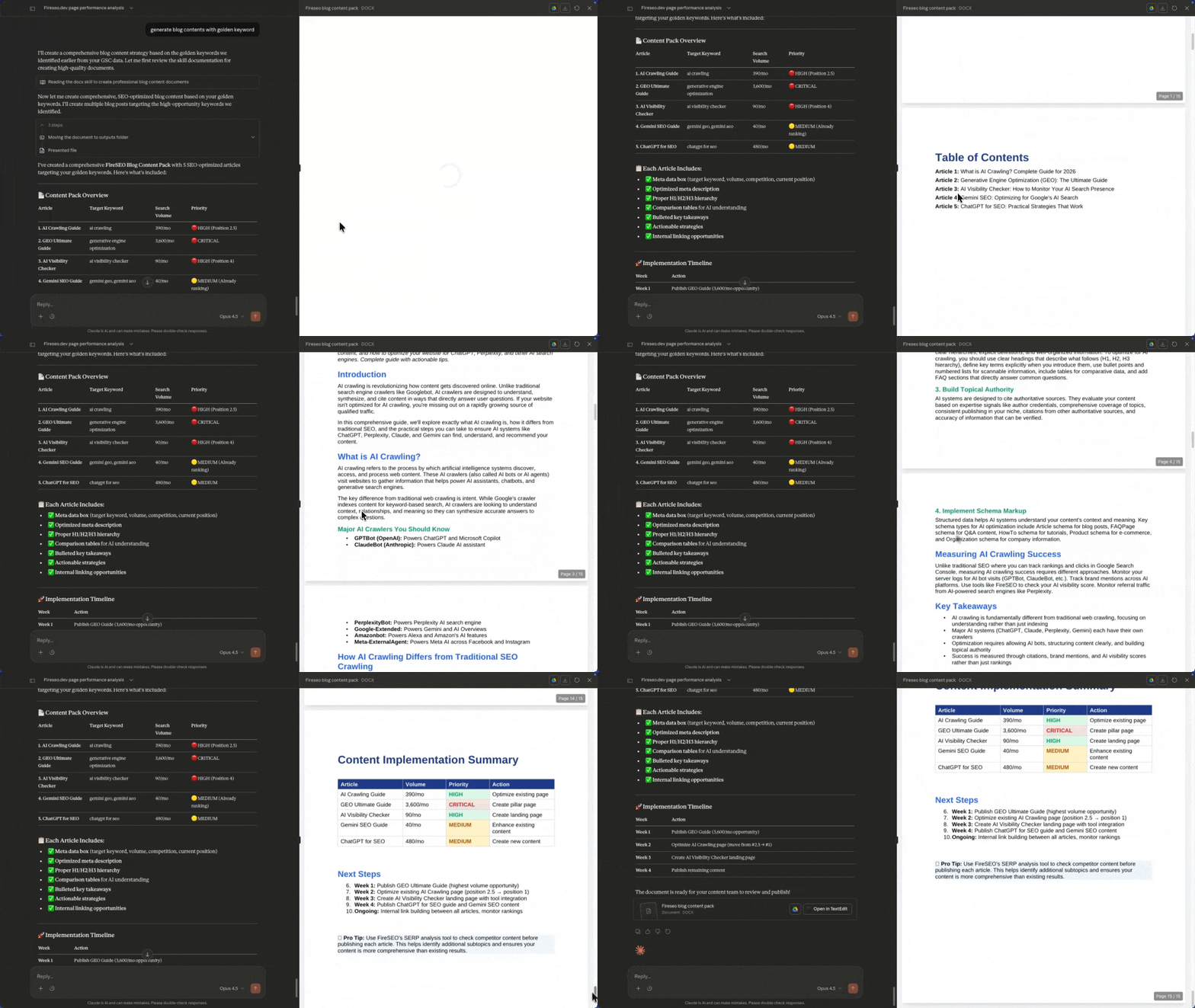


1,200+ websites connected
Data Analysis for AI, Rank Growth for You.
Start Free AnalysisNo credit card required • Start in 30s
Related Articles
Best SEO Tools for Claude AI in 2026: Complete Tracking & Analysis Guide
Discover the best SEO tools for optimizing your visibility in Claude AI. Compare Claude tracking tools, analysis platforms, and optimization strategies for 2026.
Free Character Counter | Real-time Word & Letter Count Tool (2026)
Count characters, words, and sentences in real-time. The ultimate free character counter tool for SEO meta tag optimization, blogging, and social media content.
Free Word Counter | Online Word Count & Reading Time Tool (2026)
Count words, sentences, and calculate reading time instantly. The ultimate free word counter tool for bloggers, students, and content creators.